
Website Strategy
Website Redesign vs Rebuild: How to Know What Your Business Actually Needs
Compare a website redesign with a complete rebuild, understand the warning signs, and choose the smallest responsible level of change for your business.
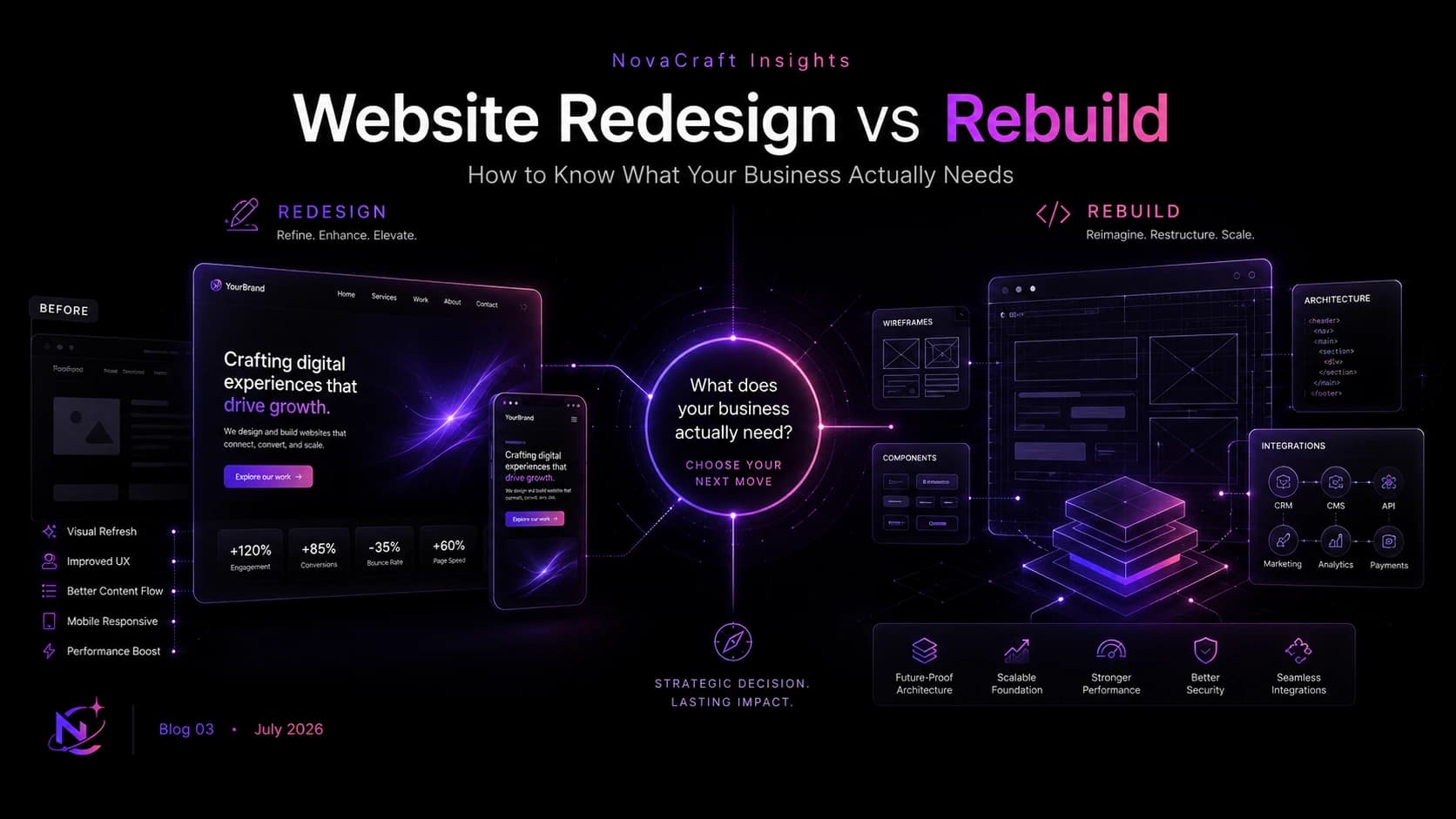
When a website starts to feel outdated, slow, confusing, or difficult to manage, the natural response is to say, “We need a new website.” But that phrase can describe two very different projects.
One business may need a redesign that improves the visual system, content hierarchy, user journeys, and conversion paths while keeping much of the existing technical foundation. Another may need a complete rebuild because the platform, code, structure, or integrations can no longer support what the business needs.
Choosing the wrong approach creates avoidable costs. A surface-level redesign cannot repair a failing foundation. A full rebuild can also waste time and budget when the existing website is fundamentally sound.
This website redesign vs rebuild guide explains the difference, the signs to look for, and the questions that help turn a vague request for change into a responsible business decision.
What is a website redesign?
A website redesign changes how an existing website communicates and performs for users. The work may include a new visual direction, clearer navigation, improved page layouts, rewritten content, stronger calls to action, better mobile behaviour, accessibility improvements, and conversion-focused updates.
A redesign does not necessarily mean keeping every technical detail unchanged. Templates, components, styles, and selected functionality may still be modified. The defining point is that the current platform and core architecture remain useful enough to build upon.
A redesign is usually appropriate when the foundation works, but the experience no longer reflects the brand, audience, or commercial goals.
What is a website rebuild?
A website rebuild replaces most or all of the underlying website. The project may move to a different content management system, restructure the data and page architecture, recreate templates and components, replace outdated plugins, rewrite integrations, and migrate content into a cleaner technical environment.
The final website may look completely different, or it may preserve familiar parts of the brand. What makes it a rebuild is the depth of technical and structural change beneath the visible design.
A rebuild is usually appropriate when the current foundation limits performance, security, editing, integrations, scalability, accessibility, or future development.
Website redesign vs rebuild: the practical difference
These are useful distinctions, not fixed rules. A detailed audit may reveal a hybrid approach, such as keeping the content management system while rebuilding the front end and information architecture.
Seven signs a website redesign may be enough
1. The platform is stable and supported
The content management system receives updates, the hosting environment is reliable, and the website does not depend on abandoned technology. Your team can maintain it without frequent emergencies.
2. The main problem is clarity, not capability
Visitors struggle to understand the offer, important pages feel disorganised, or calls to action are weak, but the system can support the content and functionality you need.
3. The brand has changed
The website no longer reflects the current identity, positioning, service mix, or quality of the business. The gap is visible, but the underlying technology remains appropriate.
4. Mobile usability needs focused improvement
Layouts, typography, navigation, forms, or tap targets need work on smaller screens, yet the responsive framework can be improved without replacing the full system.
5. The content structure can be reorganised safely
Pages need consolidation, clearer naming, or better hierarchy, but the existing system allows templates, menus, internal links, and metadata to be updated cleanly.
6. Performance problems have identifiable causes
Large images, excessive scripts, weak caching, poor font loading, or a few inefficient templates are slowing the site. These issues can be corrected without rebuilding every component.
7. Important integrations still work well
Forms, analytics, CRM connections, payment tools, and other essential services are secure, documented, and compatible with future needs.
Seven signs a complete rebuild may be the better choice
1. The technology is outdated or unsupported
The website depends on an old framework, abandoned theme, unsupported plugin, or custom code that no one can update confidently. Security and compatibility problems appear faster than the team can resolve them.
2. Small changes are consistently difficult
Routine updates require developer intervention, break unrelated pages, or take far longer than expected. This often points to technical debt, poor component structure, or an inflexible content model.
3. Performance remains poor after reasonable optimisation
The team has compressed assets, improved hosting, reduced scripts, and addressed obvious issues, but the website still loads slowly or responds poorly because the architecture itself is inefficient.
4. The website cannot support new business requirements
The company needs new languages, markets, product lines, personalisation, customer accounts, integrations, complex search, ecommerce, or a stronger publishing workflow that the current platform cannot support responsibly.
5. Accessibility problems are embedded across the system
Keyboard navigation, focus behaviour, semantic structure, forms, contrast controls, or reusable components are consistently inaccessible. Fixing isolated pages would leave the same problems in the underlying templates.
6. Security and ownership are unclear
The business lacks access to hosting, source code, licences, backups, or administrator accounts. The website relies on unknown third parties, expired software, or undocumented customisations.
7. The information architecture no longer fits the business
Years of additions have created duplicate pages, broken journeys, conflicting content, and a structure that cannot be corrected without rethinking templates, URLs, data, and navigation together.
The areas to audit before deciding
The decision should come from evidence rather than frustration with the current look. Review these areas together because a weakness in one can be caused by another.
- Business fit: Does the website support the current offer, markets, customer journeys, sales process, and next stage of growth?
- User experience: Can people understand the business, find relevant information, build trust, and complete important actions?
- Content: Is the information accurate, useful, differentiated, easy to maintain, and structured around real customer questions?
- Brand expression: Does the visual and verbal identity represent the business consistently and credibly?
- Technology: Is the platform secure, supported, documented, maintainable, and appropriate for future requirements?
- Performance: Do real pages load, respond, and remain visually stable across common devices and network conditions?
- Accessibility: Can people navigate, understand, and interact with the website using different devices and assistive technologies?
- SEO: Are valuable URLs, internal links, metadata, crawlability, structured content, and organic traffic protected?
- Operations: Can the internal team publish, update, measure, and govern the website without unnecessary dependency?
Do not choose based on cost alone
A redesign often has a lower initial cost because fewer systems are replaced. That does not make it the more economical decision if the website needs major technical work shortly afterwards.
A rebuild generally requires more discovery, engineering, migration, quality assurance, and launch planning. It may still create better long-term value when it removes maintenance problems, improves internal workflows, and provides room for growth. This is the kind of project our web development team manages end to end.
Compare the cost of each option over a realistic period. Include hosting, licences, maintenance, recurring developer support, content operations, missed conversions, and the likely cost of revisiting the same limitations.
How timelines differ
A redesign can move more quickly when the content, platform, and integrations are already in good condition. However, a redesign with substantial copywriting, new templates, and user research can still be a serious project.
A rebuild usually takes longer because more dependencies must be understood and tested. Content migration, URL mapping, integrations, data handling, redirects, analytics, permissions, training, and launch rollback all need deliberate planning.
Avoid selecting a solution simply because it promises the earliest launch. A shorter schedule is valuable only when the scope still addresses the real problem.
Protect SEO during either approach
Both redesigns and rebuilds can affect organic visibility. Changes to page copy, headings, internal links, navigation, performance, rendering, metadata, and mobile layouts may alter how pages are understood and used.
A rebuild adds greater migration risk because URLs, templates, technology, and content structures may change together. Before launch, create an inventory of valuable pages, map old URLs to relevant new destinations, preserve useful content, implement permanent redirects, test canonical and indexing controls, carry analytics forward, and monitor errors after release.
Do not redirect every removed page to the homepage. A redirect should lead to the closest useful replacement. If no appropriate replacement exists, a clear not-found response may be more honest and technically appropriate.
When a hybrid approach makes sense
The choice is not always binary. A business may keep a stable content management system and administrative workflow while rebuilding the front-end templates. It may redesign high-value customer journeys first, then replace legacy sections in phases.
A phased approach can reduce launch risk and spread investment, but it needs a coherent destination. Without shared design rules, technical standards, URL planning, and content governance, phases can create another patchwork website.
A simple decision framework
- Define the business outcome. State what needs to improve and how you will recognise progress after launch.
- Audit the current foundation. Review platform support, code quality, security, performance, integrations, content structure, accessibility, analytics, and ownership.
- Separate symptoms from causes. A dated interface may be a design problem; slow editing and repeated breakages may point to a deeper technical problem.
- List what is worth preserving. Identify valuable content, URLs, search visibility, integrations, data, brand assets, and workflows.
- Model both options. Compare scope, dependencies, risks, timeline, ongoing cost, and the ability to support future requirements.
- Choose the smallest responsible intervention. Do not rebuild for novelty, and do not redesign merely to avoid confronting a weak foundation.
Questions to ask before approving the project
- Which current problems can be fixed within the existing platform?
- Which limitations come from the underlying architecture or code?
- What evidence supports the recommendation to redesign or rebuild?
- What content, URLs, data, integrations, and accounts must be preserved?
- How will existing organic visibility be protected during launch?
- What will our internal team be able to manage without developer support?
- What new requirements should the website support over the next two to three years?
- What risks, third-party costs, and ongoing maintenance responsibilities come with each option?
- How will performance, accessibility, forms, analytics, and browser compatibility be tested?
- What happens if the project needs to be rolled back after launch?
Make the decision around the future, not the frustration
A website can feel wrong for many reasons. The design may be dated, the content may be unclear, or the platform may have accumulated years of technical debt. Those problems should not automatically receive the same solution.
The best decision preserves what still creates value and replaces what actively limits the business. That requires an honest audit, a clear view of future needs, and a partner willing to explain trade-offs rather than recommend the largest possible project. If you are still comparing agencies for this work, see our guide on how to choose the right website design and development partner.
When the scope matches the real problem, the website becomes easier to use, manage, measure, and improve.
Frequently asked questions
A redesign improves the experience, content, and visual system while retaining most of the existing technical foundation. A rebuild replaces or substantially re-engineers the platform, architecture, templates, and code because the current foundation no longer supports the business.
A redesign is often less expensive initially because it reuses more of the current system. A rebuild may provide better long-term value when an outdated platform creates recurring maintenance, performance, security, or operational costs.
A rebuild may be appropriate when the technology is unsupported, routine changes are difficult, security or ownership is unclear, performance remains poor after optimisation, accessibility issues are embedded in templates, or future requirements cannot be supported responsibly.
Yes. Design changes can affect content, headings, internal links, mobile layouts, performance, rendering, and user behaviour. Preserve valuable content and URLs, test technical controls, and monitor organic performance before and after launch.
There is no responsible fixed schedule. Review the website when the business, audience, brand, technology, or performance needs change. Redesign because evidence shows the experience is no longer effective, not simply because a certain number of years has passed.
Yes. A phased approach can work when priorities, architecture, design rules, migration plans, and success measures are defined from the beginning. Without a shared plan, phased work can create inconsistent templates and additional technical debt.
Want a second opinion on your digital presence?
Tell us where things stand today. We will tell you honestly what is working, what is not, and what we would do first.